Supercharging Your Workflow with Git Worktrees
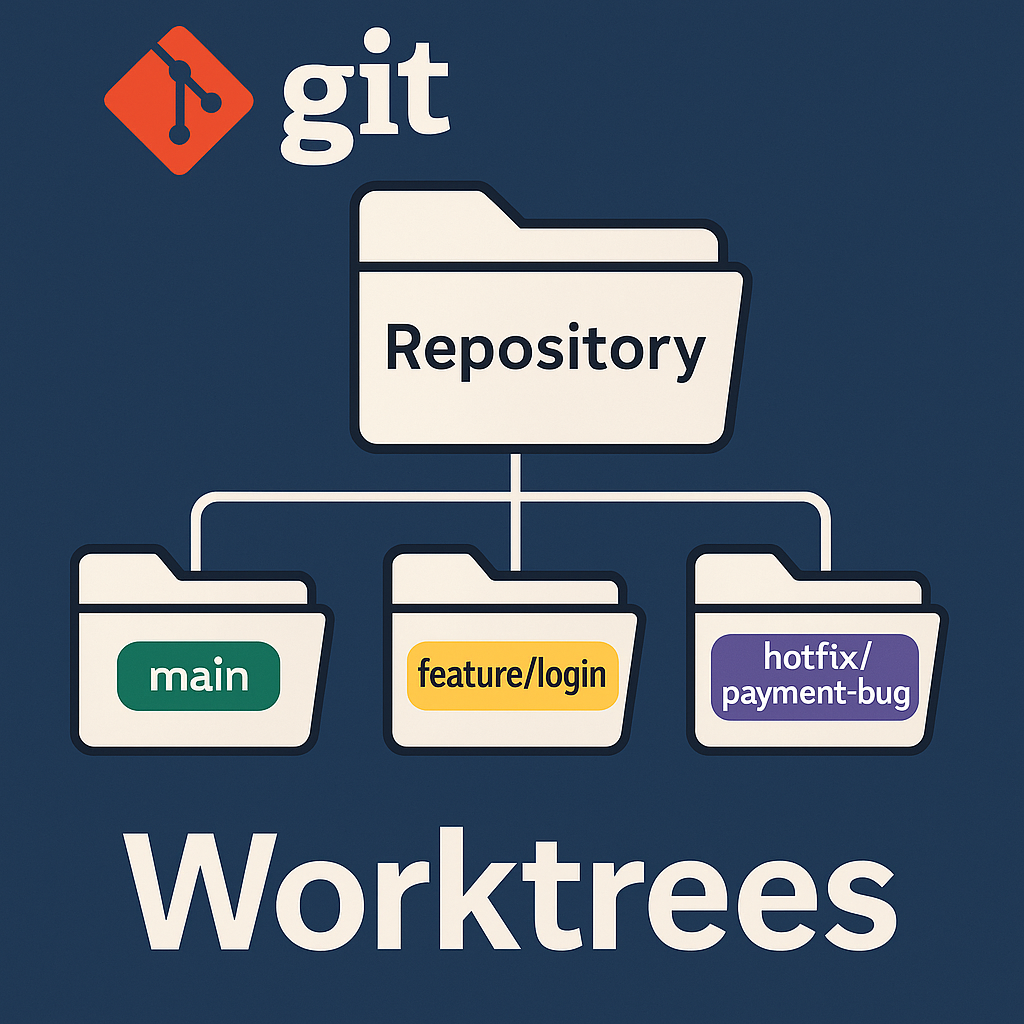
Supercharging Your Workflow with Git Worktrees
Git has been the backbone of modern software development for years, yet most developers barely scratch the surface of what it can do. One feature that doesn’t get nearly enough attention is Git worktrees — a powerful mechanism that can drastically improve your daily workflow.
If you’ve ever found yourself jumping between branches, stashing half-finished work, cloning the same repository multiple times, or trying desperately to debug a production issue while halfway through a feature… worktrees solve all of it.
This article breaks down what worktrees are, why they matter, and how you can start using them immediately.
What Are Git Worktrees?
A worktree is an additional working directory attached to a single Git repository.
Each worktree has its own checked-out branch, its own filesystem state, and its own isolation — but shares the same .git data.
In plain terms:
- You keep one repository.
- You create multiple working directories.
- Each directory can point to a different branch.
This means you can have:
mainchecked out in one folderfeature/loginchecked out in anotherhotfix/payment-bugchecked out in a third
…all at the same time, all using a single Git repo under the hood.
Why Use Worktrees?
Zero-friction context switching
Instead of juggling stashes and half-done commits, you simply open a different folder.
Faster than cloning
Worktrees reuse Git’s internal storage, meaning less disk space and faster setup.
Perfect for code reviews
Create a temporary worktree, review a branch, delete the worktree when done.
Ideal for monorepos
No need to clone huge repositories multiple times.
Great for debugging production issues
Spin up a separate worktree without touching your ongoing work.
How to Use Worktrees
Create a new worktree
git worktree add ../feature-login feature/login
List worktrees
git worktree list
Remove a worktree
git worktree remove ../feature-login
A Practical Example
You're working on a feature when a production bug appears.
Traditional workflow:
- stash
- switch branch
- fix bug
- pop stash
- deal with conflicts
Worktree workflow:
- create new worktree
- fix the bug separately
- return to your feature untouched
Final Thoughts
Git worktrees aren’t just a nice-to-have — they’re a workflow upgrade that makes development smoother, safer, and significantly more efficient.
Once you start using them, you’ll wonder how you ever worked without them.