Offloading PDF Parsing to Web Workers with WebAssembly
Offloading PDF Parsing to Web Workers with WebAssembly
In modern web applications, performance and responsiveness are crucial. One excellent example of optimizing heavy computational tasks on the frontend is the pdf-parser project by erevos-13. This lightweight PDF parser showcases a clever use of Web Workers and WebAssembly (WASM) to handle PDF parsing efficiently in the browser.
Why Offload Parsing to Workers?
Parsing a PDF is a CPU-intensive task. Performing it directly on the main thread can lead to:
- UI freezing or sluggish responsiveness
- Poor user experience, especially on lower-end devices
- Difficulty handling large or complex PDFs
By offloading parsing to Web Workers, the heavy lifting is done in a separate thread. This keeps the main thread free to handle user interactions smoothly.
What Is WebAssembly?
WebAssembly (WASM) is a low-level binary format designed to run at near-native speed in the browser. It allows developers to compile code written in languages like C, C++, or Rust to run securely and efficiently on the web.
In this project, the parser leverages a WebAssembly module compiled from C/C++ code to efficiently decode and process PDF structure, fonts, streams, and objects.
How It Works in the pdf-parser Project
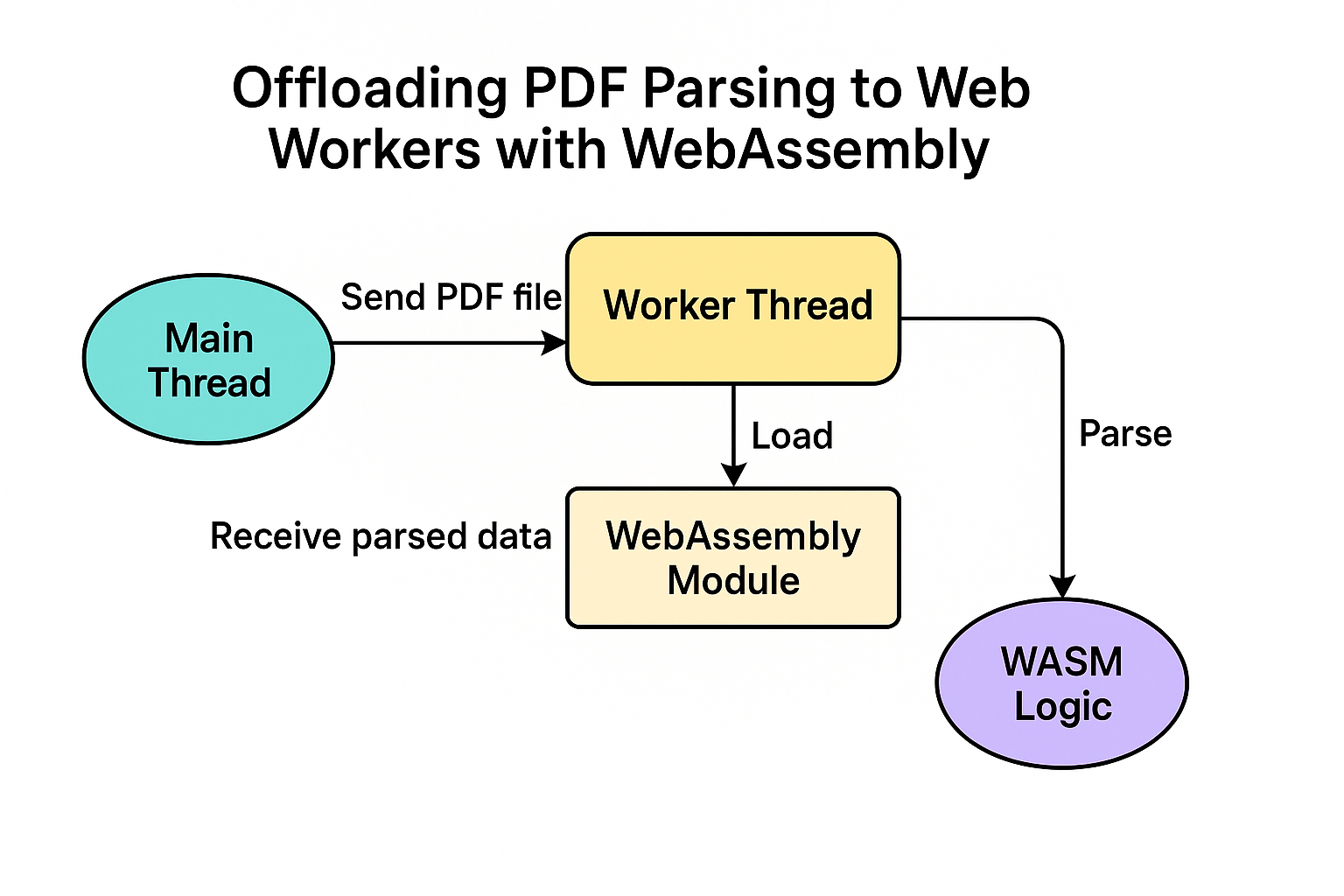
Here’s a high-level breakdown of how the pdf-parser uses Workers and WASM:
-
WebAssembly Module:
- The core logic for parsing PDFs is implemented in WebAssembly for performance.
- This module is initialized in the background.
-
Worker Thread:
- A Web Worker is created to isolate PDF processing from the UI thread.
- The worker loads the WASM module and handles incoming PDF data.
-
Main Thread Communication:
- The main JavaScript thread sends a PDF file (as ArrayBuffer or Blob) to the Worker.
- The Worker parses the PDF using the WASM logic and returns structured data (pages, fonts, content).
-
Thread-safe Parsing:
- Because the parsing is done in a separate thread, the UI remains responsive.
- Parsing large files doesn’t impact user interaction, scrolling, or other dynamic frontend behaviors.
Benefits
- ✅ Performance: Native-like speed using WebAssembly.
- ✅ Responsiveness: Non-blocking UI thanks to Web Workers.
- ✅ Portability: Runs in any modern browser.
- ✅ Security: WebAssembly runs in a sandboxed environment.
Example Usage
const worker = new Worker('pdf.worker.js');

worker.postMessage({ file: pdfBuffer });

worker.onmessage = (event) => {
  const parsedData = event.data;
  console.log('PDF content:', parsedData);
};
When to Use This Pattern
Consider using Workers + WASM when:
- You need to parse or process large binary files in the browser.
- You want to keep your web UI snappy during intensive tasks.
- You're porting C/C++ libraries to the web.
Final Thoughts
The pdf-parser project is a great demonstration of how modern web technologies like WebAssembly and Web Workers can work together to deliver fast, non-blocking performance for complex tasks like PDF parsing. It's an excellent reference if you're building browser-based tools that require fast computation without compromising user experience.
Explore the project: github.com/erevos-13/pdf-parser